Hello, readers. I hope things have been great for you all.
I am Pratyoosh, a backend engineer, who just finished The Rust Programming book. Like many programmers, as soon as I turned the last page, I had the cravings to start building projects. So as the first stepping-stone on my journey to become a true Rustacean, I decided to build a chess game/engine from scratch. I had built a small project in Rust before to learn the syntax, but with this engine, the tutorials end and the real engineering begins.
I knew beforehand that with how complex the game is, building a chess engine would be tough. But "complexity" is something that's stuck in the core of learning and experiencing rust. And so, it makes it even more thrilling to build.
With my experience in building projects, my first instinct was to define a MVP (Minimal Viable Product), so that I don't try to over-engineer the application before the core physics even worked. So I settled on a few features and 3 Phases for the build:
Phase 1
Features required for this phase were:
- A board to play on
- Pieces to play with
- Functions to find possible moves for each piece
A board to play on
The first and most important part, to be able to play chess, is to have a chess board. For this, I could either have a 8*8 2-D Array or a 1-D array of size 64.
I chose a 1-D array as my board, since they are faster and more memory efficient than 2-D arrays. On top of that they are sequential, and we love sequential since the CPU loves it, as it is easier to cache them.
At this point my board has two attributes:
square: A 1-D array of size 64current_turn: Storing aPieceColor
Now, we have the board, but what do we play with? Correct! Chess Pieces. For this I defined two enums PieceType and PieceColor having all of the pieces and colors white and black respectively. Then, I defined the Piece struct having both PieceType and PieceColor.
Then I implemented the board, with the new function placing all of the pieces to their respective indexes.
At this point the board struct was really small, but as we moved forward its size kept increasing.
The difficult part for going with 1-D array was identification of row and column, else it would've required me to implement maths everywhere just for this. For this I created a function to convert index to row and column.
pub fn index_to_coordinates(index: usize) -> (usize, usize) {
  let row = index / 8;
  let col = index % 8;
  (row, col)
}
This beautiful block of code was helpful throughout the build.
MoveList Data Structure
Before starting to look for possible moves, I needed a data structure to store the moves in. I could use a traditional array, but every time traversing the whole array just for 1 or 2 moves would have been a waste. So I created a MoveList data structure containing a traditional array of length 27 (Maximum number of moves a piece can have), and a count variable to hold the number of moves the structure currently has. This way I could traverse only till the moves that are needed.
pub struct MoveList {
    pub moves: [usize; 27], // Max possible moves for a queen in the center of an empty board
    pub count: usize,
}
Finding possible moves and keeping it DRY
Once the board was set, pieces needed to move. I started writing functions like get_possible_rook_moves and get_possible_bishop_moves.
Quickly, I noticed I was writing the exact same while loops over and over. A Rook slides up, down, left, right. A Bishop slides diagonally. A Queen does both. They all do the same thing: keep sliding in a direction until they hit the edge of the board or another piece.
To keep the code DRY (Don't Repeat Yourself), I created a single get_directional_moves function. I just passed it an array of coordinate directions (like (1, 0) for up, (1, 1) for diagonal right).
fn get_directional_moves (&self, result: &mut MoveList, piece: Piece, row: usize, col: usize, directions: &[(isize, isize)]) {
  // Code
}
let directions = [(1, 0), (-1, 0), (0, 1), (0, -1)]; // Straight directions for Rook
self.get_directional_moves(&mut result, piece, row, col, &directions);
Upgrading the function for Kings and Knights
But what about the King and Knight? A King moves exactly like a Queen, but only 1 step. A Knight moves in weird L-shapes, which is technically just jumping 1 step in a very specific direction (like (1, 2) or (-2, 1)).
Instead of writing new logic, I just upgraded my get_directional_moves function to accept a max_steps parameter. Now, the same exact loop handles almost every piece in the game!
fn get_directional_moves (&self, result: &mut MoveList, piece: Piece, row: usize, col: usize, directions: &[(isize, isize)], max_steps: usize) {
  // Code
}
// Knight moves are just 8 specific directions, limited to 1 step
let directions = [(1, 2), (1, -2), (-1, 2), (-1, -2), (2, 1), (2, -1), (-2, 1), (-2, -1)];
self.get_directional_moves(&mut result, piece, row, col, &directions, 1);
Moving pieces
Now that I had functions to get possibles moves for each and every piece, I created a function to take in current index and target index to move a piece. It first checks for the possible moves by the piece at the given index, if the target index is in returned array of moves, it moves the piece.
pub fn move_piece(&mut self, current_idx: usize, target_idx: usize) -> Result<(), &'static str> {
  // Code
}
The Functional Board
At this point, I had a working board. If I ran the code, pieces could move around and capture each other. But they were dumb. A piece could move even if it put its own King in danger. In chess programming, these are called "pseudo-legal" moves.
I needed a way to see what was happening on the board to debug it properly before writing the actual rules.
Phase 2: Seeing the game
It was time to build a real interface. I decided to use ratatui to draw the chess board in the terminal.
Instead of writing complex UI layouts, I used Ratatui's simple layout constraints to draw an 8x8 grid. I mapped the backend pieces to characters (p, r, k). Lowercase for black pieces and Uppercase for white pieces.
Enforcing FIDE Rules
Now that I could see the board, I had to stop illegal moves. Chess rules are a nightmare of edge cases. How do you check if a piece is pinned to the King? What if a move causes a double check?
My first instinct was to use complex math to check if lines were intersecting. But that leads to terrible, unmaintainable if/else spaghetti code.
Instead, I used a concept I learned called the "Make/Unmake" pattern (or Ghost Moves).
I wrote a single, fast is_king_in_check function. Then, to find the true valid moves, the engine just looks into the future:
- Temporarily move the piece.
- See if the King is safe.
- Undo the move.
Because mutating arrays in Rust is incredibly fast and takes no heap memory, I can run this simulation thousands of times instantly.
// A simplified look at the Ghost Move loop
for i in 0..possible_moves.count {
    let target_idx = possible_moves.moves[i];

    let target_piece = self.square[target_idx];
    self.square[target_idx] = self.square[idx].take(); // Make move

    let is_safe = self.is_king_in_check(piece_color)[0].is_none();

    if is_safe {
        valid_moves.push(target_idx);
    }

    self.square[idx] = self.square[target_idx].take(); // Undo move
    self.square[target_idx] = target_piece;
}
With this solid architecture, the rest of the FIDE rules fell into place:
- Pawn Promotion: Intercepting a pawn at the end of the board and replacing it with a Queen (for the MVP).
- Castling: Moving the King two steps, checking the passing squares, and teleporting the Rook.
- En Passant: Creating a temporary buffer to track the "ghost square" left behind by a double-stepping pawn, and wiping it clean the next turn.
- Checkmate & Stalemate: Checking if a player has 0 valid moves left. If they are in check, it's checkmate. If they aren't, it's stalemate.
State of board at this point
pub struct Board {
    square: [Option<Piece>; 64],
    current_turn: PieceColor, // For backend validation of moves
    checked: bool,
    checkers: [Option<usize>; 2], // Max 2 pieces can check the king at once
    black_king_pos: usize,
    white_king_pos: usize,
    game_over: bool,
    winner: Option<PieceColor>,
    castle_rights: CastleRights,
    en_passant_target: Option<usize>,
}
What had started with just 2 attributes, now had become so big, that I wasn't expecting. This taught me an important thing, that when we start, it feels like nothing, but as we keep implementing, it gradually starts showing how complex it is.
Gradual UI Improvements
As the backend got smarter, the UI got better. I added an autumn-themed color palette to the board. I also mapped the backend piece characters (p, r, k) to proper Unicode chess symbols (♟, ♜, ♚) so it actually looked like a game.
Phase 3: Making it a real Application
The game worked great, but it felt like just running a script. I wanted it to feel like a real piece of software. It needed a Main Menu.
To achieve this, I completely decoupled the UI from the Game logic. I created an App struct that owns an AppState enum (Menu or Game).
When the user presses buttons, it returns an AppAction. The main app catches that action, and performs accordingly.
This way, the game engine doesn't even know the menu exists. It just runs chess.
Screenshots
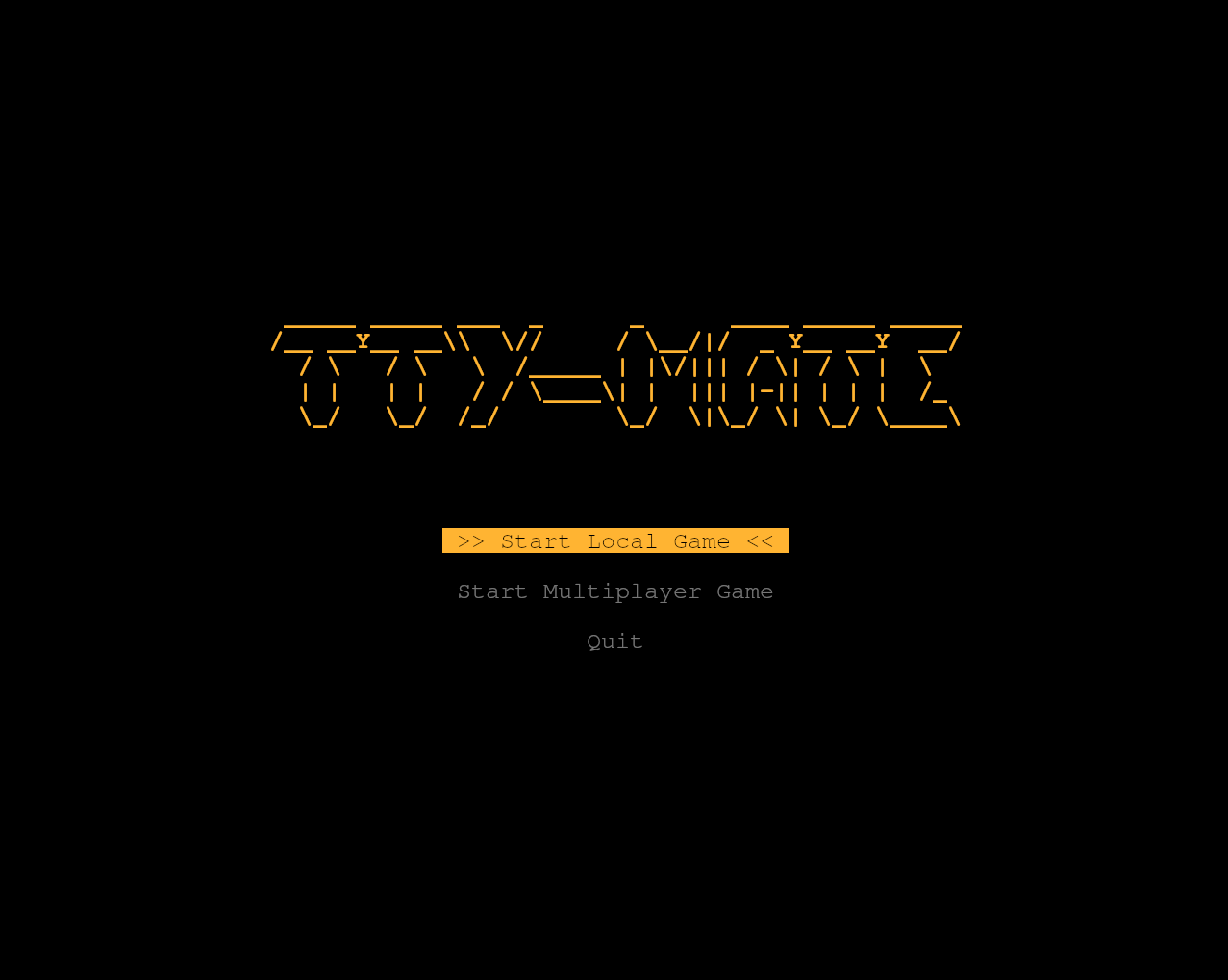 // Fig. menu
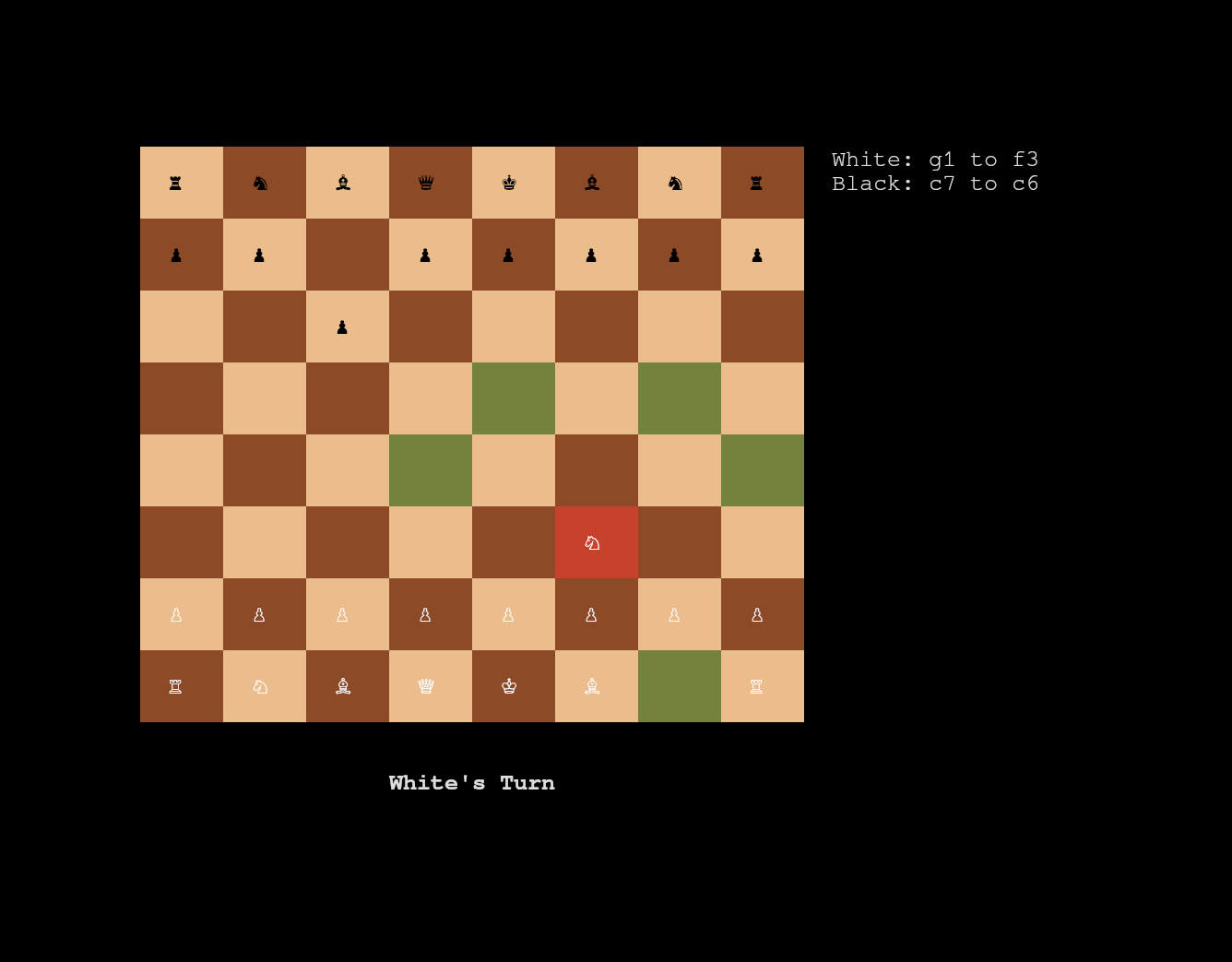 // Fig. game
What's Next?
The core engine is robust and playable, but there are a couple of things left to implement to make it 100% perfect:
- Desired Pawn Promotion: A popup menu to let the user choose a Knight, Rook, or Bishop instead of defaulting to a Queen.
- Draw by Repetition: Adding logic to track the board history and trigger a draw if the exact same state happens three times.
The Future
Right now, you can play locally by sharing the keyboard. But the long-term goal for this project is to build a Multiplayer Architecture.
I plan to use tokio to build a concurrent TCP broker server. You will be able to host the engine on a server and have two separate terminal clients connect and play against each other over the network.
Building this chess engine taught me a massive amount about Rust's ownership, state management, and terminal interfaces. It was a tough challenge, but seeing that red checkmate square light up for the first time made it totally worth it.